

 Follow
 Rekomendasi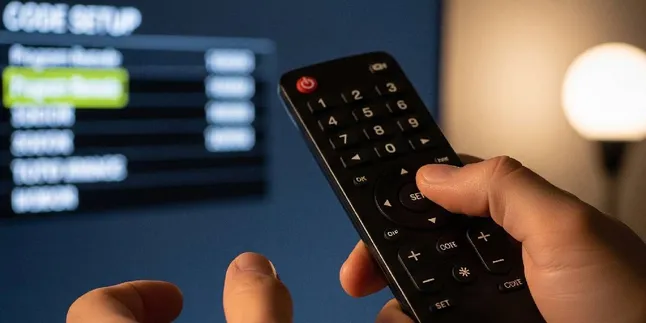
How to Set the Polytron TV Remote Code for All Models, Here’s the List
The Polytron TV remote code helps connect a universal remote to the television. Check out the list of codes and how to set it up.

Kapanlagi.com - The iPhone Code PA/A is one of the things to pay attention to when purchasing Apple devices in Indonesia. This code is located at the end of the model number and is related to distribution areas, warranty status, and the legality of devices circulating in the domestic market.
Some buyers still have difficulty distinguishing the PA/A code from other codes such as ID/A, SA/A, FE/A, LL/A, or ZP/A. In fact, the differences in these codes can provide information about the distribution channels of the device, including the possibility of warranty services and IMEI status.
Referring to The Apple Wiki, each Apple device has a part number ending with a specific regional code. The two letters before the “/A” symbol, such as LL, ZA, ZP, or J, indicate the country or region where the device was first marketed, although the production process can take place in the same location.
In general, the iPhone PA/A code is a combination of letters at the end of the model number that serves as a marker for the distribution region. For the Indonesian market, this code indicates that the device has entered through official channels.
iPhones sold through iBox outlets usually have model numbers ending with PA/A. This code is related to distribution by PT Teletama Artha Mandiri (TAM), a company that is part of the Erajaya group. Erafone is also part of the same group, so some devices from both networks may have similar codes.
According to MakeUseOf, Apple produces many iPhone models in the same facility, but still makes hardware and software adjustments based on the rules and needs of each country or marketing region.
The regional code does not indicate the location of the iPhone manufacturing plant. That information is found in the part number, while the main model number of the device has a different format, starting with the letter A followed by four digits, such as A1865 or A2398.
Adjustments between regions may relate to several technical aspects, such as the type of power adapter, language on the packaging, and software features that comply with local regulations.
For users in Indonesia, devices with the PA/A code come with a one-year official warranty from Apple Indonesia. Additionally, the device's IMEI has been registered in the Ministry of Industry's system, thus meeting the requirements for devices that circulate legally.
The iPhone PA/A code is not the complete identity of the device, but rather the last part of the model number series. For example, a code like MQ8Y3PA/A has several parts with different information.
Model number information can be found through the device's settings menu. Apple explains that users can view these details through the Settings app, while on some models, the IMEI and model number are also available on the SIM card tray.
The beginning part of the model number indicates the status of the device. The first letter can signify whether the iPhone is an original unit, refurbished, or a replacement. For instance, the letter N is used for replacement units from devices that were previously damaged.
The next five characters, such as MQ8Y3, relate to the specific type of device, including color variants and storage capacity. Meanwhile, the two letters “PA” indicate the region code for Indonesia.
The letter “A” after the slash marks the version or allocation of the device for that region. The entire code sequence then becomes the identity that distinguishes one iPhone unit from another.
When purchasing a device, the code on the iPhone should also be matched with the information on the packaging box. This step helps ensure that the received device corresponds to the unit's identity.
The iPhone PA/A code check can be done directly from the device without additional applications. This method can be used for both new and used iPhones before a transaction is made.
According to research by the editorial team from international technology sources, the Model Number section will change to a complete part number after being tapped once. From there, users can see the region code such as PA/A.
Here are the steps to check it:
In addition to the region code, users also need to ensure that the IMEI number matches between the device and the packaging to avoid purchasing an unregistered unit.
The iPhone code PA/A is just one of the various regional codes used by Apple. Each code can indicate the target market of the device.
For official devices in Indonesia, several codes used include PA/A, ID/A, SA/A, and FE/A. Meanwhile, imported devices from other countries may use codes such as LL/A, ZA/A, X/A, or ZP/A.
Some common regional codes found include:
The differences in these codes generally relate to the technical needs of each market. For example, devices from Hong Kong and Macau with the ZP/A code often support two physical nano-SIM cards.
Other official Indonesian codes like PA/A, ID/A, and SA/A all receive support from Apple Indonesia, but their distribution channels are different. The PA/A code is generally associated with the iBox and Erafone networks, while ID/A usually comes from Digimap.
The regional variants of the iPhone are also permanent as they are determined during the production process. Devices cannot be changed to another regional code simply through system updates or repair services.
Therefore, understanding the iPhone code PA/A can help buyers recognize the origin of distribution, warranty services, and the legal status of the device before making a purchase.
(kpl/mda)
Cobain For You Page (FYP) Yang kamu suka ada di sini,
lihat isinya
The Polytron TV remote code helps connect a universal remote to the television. Check out the list of codes and how to set it up.

Food forests and regular vegetable gardens differ in harvest time, costs, maintenance, and environmental impact that need to be understood.

How to make traditional ketupat from young coconut leaves through the stages of weaving, filling with rice, boiling, and storing it for longevity.
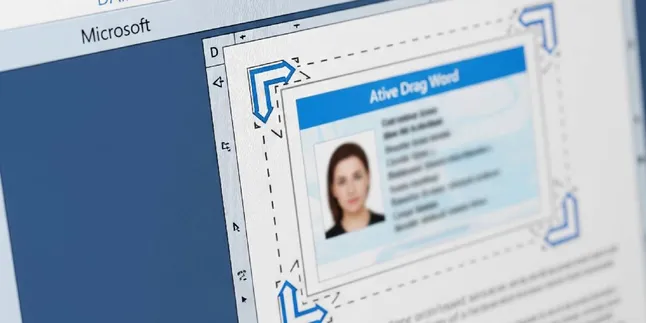
The KTP size in Word needs to be adjusted to ISO 7810 standards for precise printing results. Check the dimensions and the steps to set it up.

News item text in English can be learned through 7 steps, starting from understanding the structure to opening opportunities to become a freelance writer.

Natural stone and mini elephant grass terrace models present a combination of neat, cool natural elements that are suitable for various home concepts.

A guide on how to make your own aquarium filter using used bottles, sponges, and an aerator, complete with assembly steps and maintenance.

Looking for maranggi satay in Kemang? Here is a list of dining places around South Jakarta with menu options, prices, locations, and opening hours.

Recommendations for Chinese dramas about swapped children with stories full of family secrets, identity quests, and revealed past conflicts.

Check out 8 original examples of opening prayers for MPLS for Islam and Christianity as references to welcome new students in the new academic year.

Used hebel can be repurposed into a strong and aesthetic plant pot rack. Check out the tools needed and the steps for making it from start to finish.

A list of Korean dramas about mafia falling in love that combines conflicts of the criminal world, action, and the emotional relationships of the characters.
